Inbox Management Virtual Assistant: What You Can Hand Over
What an inbox management virtual assistant can genuinely take over: delegated access versus shared passwords, the threads that stay yours, the rules they need, and the overnight gap.
On this page
- What an inbox management virtual assistant actually does
- The access question, and the wrong answer to it
- Delegated access
- Shared credentials
- What to ask before you grant anything
- The threads that never get delegated
- The rule set they need before the triage is any good
- The latency gap
- What it costs, and what you are buying
- Where Catch fits
- How to decide
- Frequently Asked Questions
- Provider sources
Someone else can sort your mail. What you are deciding is narrower than that: which threads you are willing to let another person read, what they are allowed to send with your name on it, and who carries it when one of those sends goes wrong.
I’m Nir Sabato, co-founder of Catch, software that takes the admin off an executive’s plate. So what follows is the mechanical side of handing your mail to someone else. What an inbox management virtual assistant can genuinely take off you, what access they need to do it, the threads that in practice never get handed over at all, the rule set that has to exist before their triage is worth anything, and the hours gap nobody warns you about until you are living inside it.
Founders and CEOs ask me about this constantly, and the access question is where they get stuck almost every time, though it is rarely the part the articles cover.
What an inbox management virtual assistant actually does
Four kinds of work, and they are nowhere near equally easy to hand over.
Sorting. Noise, routine, can-wait, needs-you-now. Most of the volume sits here, and it is the easiest thing to delegate, because getting it slightly wrong costs you very little.
Answering the routine. Confirming a time, sending a document, saying yes, pointing someone at the right colleague. More than half of most inboxes.
Chasing. Noticing that the thread from Tuesday never came back, and nudging it.
Judgment calls. A client asks for something unusual. A candidate mentions a competing offer. A vendor pushes a renewal date. Where these land is the thing to settle in writing before anyone touches your inbox.
The services say specifically what inbox work they take on, and they do not all say the same thing. Prialto’s assistants filter, sort, organize, and draft responses based on the client’s documented preferences. BELAY matches you with a dedicated, US-based assistant who handles scheduling, rescheduling, conflict checking, and inbox triage. Athena handles inbox triage and email drafting with a dedicated, one-to-one assistant. Fancy Hands itemises its dedicated tier’s inbox work as tracking and notifying you of important emails. Different services draw the line in different places. The line is the whole point.
The access question, and the wrong answer to it
Two ways to give someone else your inbox. Only one of them survives any scrutiny.
Delegated access
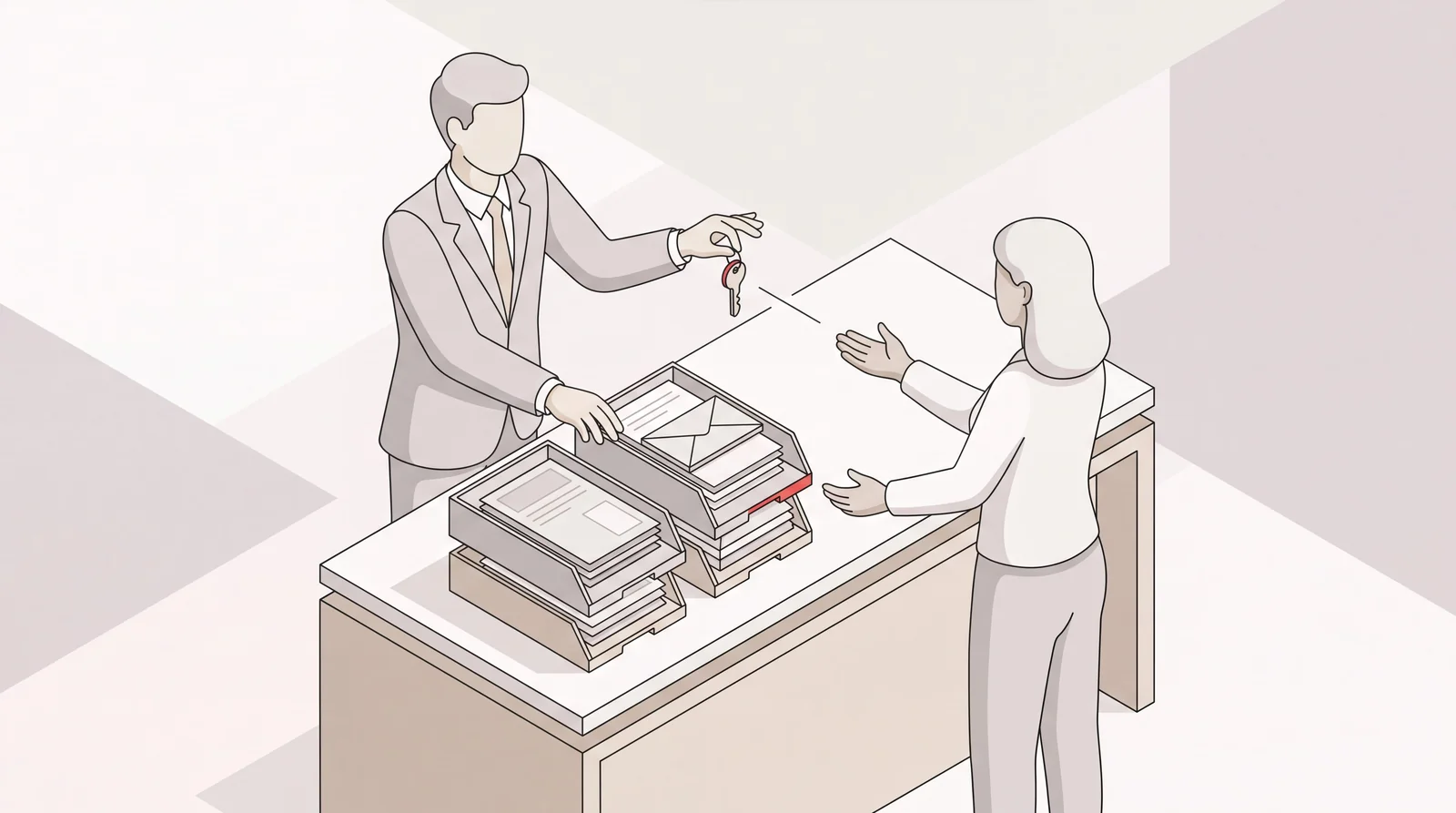
Gmail and Outlook were both built for this. Add a delegate in Gmail and they can read, send, and delete mail from your account without ever having your password, and they cannot touch your password or your account settings. Mail they send carries your address along with a marker showing it was sent by them, though on a Workspace account an admin can switch that disclosure off. Microsoft 365 works much the same way: you grant delegate permissions, and you choose between “send on behalf of,” where the recipient can see it came from your assistant, and “send as,” where it simply looks like you. Exchange goes a step further and lets you grant permissions at folder level rather than across the whole mailbox.
Three things make the setup worth it: your password stays yours, your two-factor setup stays intact, and one click revokes everything on the day the engagement ends.
Shared credentials
Sending someone your password is still the most common way this gets done, and it is the one your IT team would shut down if they knew. It defeats two-factor authentication. It leaves no record of who did what. It cannot be scoped to part of the mailbox. And when the relationship ends, your only option is a password reset and a hope that nothing was kept. If a service asks you for your password rather than walking you through delegation, that tells you something about how they operate.
What to ask before you grant anything
Who else at the firm can see my mail. What device does the assistant work on, and who owns it. Has there been a background check. Will they sign an NDA. What happens to access when my assistant changes.
Some of them publish the answers already. Athena’s assistants work only on Athena-owned, secured MacBooks with remote wipe and are not allowed to use personal devices, and they come with third-party background checks and identity verification. Prialto’s service includes SOC 2 Type 2 compliance, background checks, and single sign-on with password management. Fancy Hands says a dedicated assistant will sign your NDA, and offers HIPAA-certified assistants. Ask, and get the answers in writing. It is not an unreasonable request, and nobody serious will be offended by it.
The threads that never get delegated
Every executive I have talked to about this lands on roughly the same short list of mail a virtual assistant does not see:
- Board and investor threads
- Anything from outside counsel, and anything with “privileged” in the subject
- Personnel: compensation, performance, hiring decisions, departures
- Anything with a number in it that is not public. Term sheets, pricing exceptions, forecasts, the bank
- Medical, family, and personal financial mail
Here is the snag, and it is the real reason inbox delegation is harder than calendar delegation. You cannot sort mail by sensitivity before someone reads it. Reading it is how you find out what it is. A sender rule gets you most of the way there: route your board’s domain, your law firm, your HR system, and your CFO straight past the assistant into a folder only you open. Outlook and Exchange then let you grant permissions folder by folder, so the assistant only sees what the rule let through. Gmail does not work that way. Gmail delegation is the whole mailbox or nothing, with no way to limit a delegate to particular labels, so a rule on Gmail sorts your sensitive mail without hiding it, and the only real scoping is a second address the assistant is never added to.
Most of the way is not all of the way. The acquisition conversation arrives from a personal Gmail address. The performance problem shows up as a reply buried inside an ordinary thread. The term sheet is an attachment on a message from someone you have mailed about nothing but logistics for a year.
Which leaves you an honest choice. Accept that another person reads everything first and is briefed on what to do when they hit one of these, or accept that you do the first pass yourself and hand over what survives it. Plenty of executives pick the first and are perfectly fine. Just pick it knowingly, because the version where a human assistant triages your inbox and somehow never encounters anything sensitive does not exist.
The rule set they need before the triage is any good
A virtual assistant is not slow to get good at your inbox because they lack the ability. They are slow because they are missing a hundred small facts that live nowhere but your head. Prialto’s model names this outright: the drafting works off the client’s documented preferences. Someone has to write the document.
Expect to assemble, and then keep updating:
- Who matters. Named people whose mail goes straight to you, named people whose mail never needs to. Your top accounts, your board, your direct reports, your recruiters.
- What urgent means for you. Not in the abstract. “A customer using the word ‘cancel.’” “Anything from this list of six accounts.” “Any inbound from a journalist.”
- What they can answer without asking. Scheduling, document sends, intro routing, polite declines, confirmations.
- What they escalate, and how. The step most people skip. Leaving something sitting in the inbox is not escalating.
- How you sign off, and how blunt you are. Including whether you want the assistant identified as an assistant in the signature.
- Standing answers. Your five most repeated replies, written the way you would write them.
Budget real time for this. Onboarding is where that work gets done: BELAY runs a sales call, then a discovery call with a Client Success Consultant, then a manual placement, then a kickoff call before work starts. Athena assigns you a Partnership Manager and gives you access to a delegation training library, on the theory that learning to delegate is itself a skill. The investment pays back. It is also worth asking each service what happens to that document when your assistant changes.
Judgment is where a good human assistant genuinely shines, and it is why the rule set does not need to be exhaustive. Someone who has sat in your inbox for six months knows that the quiet mail from your biggest customer’s ops lead outranks the loud mail from a vendor. That knowledge is hard-won, and it is real value.
The latency gap
This is the part that catches people off guard. A virtual assistant works hours. Your inbox does not.
Athena’s assistants work 40 hours a week across five business days. Zirtual promises a response during business hours within two hours, which is a good standard. Neither of those is a criticism. It is just what a job is. Mail that lands at 8pm on a Thursday, or over a weekend, sits in a queue until they next open it.
The services have built real answers around the edges of this, and each one’s is worth asking about. Time Etc includes cover when an assistant is ill or on vacation. Prialto staffs every account with a trained primary and a secondary backup. Fancy Hands provides a secondary dedicated assistant on its dedicated tier. Magic offers a 24/7 concierge for urgent tasks when your primary assistant is offline.
And for most mail, overnight is completely fine. It matters for a narrow slice: the customer who asks for a discount at 10pm, the candidate who has until Friday to decide, the flight that just got cancelled, the partner in a timezone eight hours ahead of yours. If that slice is rare for you, the gap is a non-issue. If your business runs across timezones, it is the first thing you will notice.
What it costs, and what you are buying
Published rates for virtual assistant inbox management mostly price a slice of a person’s week. Six of them, to show the shape:
- Time Etc sells hours: $390 a month for 10 hours, $760 for 20, $1,480 for 40, $2,160 for 60. Unused hours roll over.
- Zirtual also sells hours: $599 a month for 12 hours of task work, up to $1,699 for 45 hours. Hours do not roll over.
- Wing prices by coverage: $699 a month for a part-time general assistant at 80 hours, $999 for full-time at 160 hours. Its Executive Assistant tier starts at $1,299 part-time and $1,999 full-time, and US-based assistants start at $2,499 part-time and $4,999 full-time.
- Athena places a dedicated full-time assistant at $3,600 a month on month-to-month billing, after an initial 90-day commitment, or $3,000 a month on annual billing.
- BELAY does not publish its own rates, and puts typical US-based virtual assistant cost at $1,200 to $3,000 a month, or $30 to $75 an hour.
- Fancy Hands bills its dedicated tier to the minute with no contract, and does not publish a price for it.
The structural thing worth noticing is not the number. It is the unit. Buy hours or headcount and a heavy week either costs more or waits, while a quiet month is billed the same. When you outsource inbox management to a service, what you are buying is a person’s attention for a defined share of their working time, and your inbox has to fit inside it.
Where Catch fits
Catch is an AI Executive Assistant, and it does the same inbox work from the other side of that trade. It connects to Gmail or Outlook by OAuth, so there is no password to hand over and no shared login, and it works with Google Calendar or Outlook Calendar. It reads what comes in, works out what each thread actually needs, answers the routine mail itself, keeps an eye on the threads that have gone quiet and nudges the ones that warrant it, and brings you the messages that genuinely need your decision, with the context attached, wherever you already are. Slack, email, text, iMessage, or a phone call.
The inbox is one piece of what it carries. The same assistant resolves calendar conflicts by reaching out and rearranging them, generates scheduling links on your constraints, books external scheduling links on your behalf, gets you ready for meetings, holds your reminders and nudges you on them, makes outbound calls to hotels, restaurants, and vendors, and helps eligible customers book supported business flights and hotels in the travel beta, with approval before purchase or rebooking. Fares, room charges and supplier fees are separate from the subscription, and ground transport may need separate arrangements.
Two differences against a human service. Both are structural rather than a comment on quality.
Software handles the inbox rather than a staffing service. Catch connects through permissions you can review and revoke. Review those permissions and the security details before delegating sensitive work. Catch does not use your data to train third-party models, hosts data in the US, and holds SOC 2 Type II and CASA Tier 2. When it emails or calls on your behalf, it identifies itself as acting for you rather than pretending to be you.
There is no overnight queue. The mail that lands at 8pm on Thursday gets handled at 8pm on Thursday. Catch learns from your connected calendar and mail and from the corrections you give it, and it widens what it handles on its own as it learns you, rather than arriving fully autonomous on day one.
It is a flat $99 a month, voice calls included. No credits, no usage tiers, no per-call fees, and a 10-day free trial. The same price whether this is a quiet week or the week everything lands at once.
Be clear-eyed about where this does not reach. Catch works on the screen and over the phone. It does not run errands, buy gifts, or handle anything in person, and it does not do expense reports or receipts today. It does not pick up your personal phone, much as a human assistant does not answer your personal calls. If a real share of what you want to delegate lives off the screen, a human assistant is doing something Catch cannot do, and the sensible answer may well be both.
How to decide
Three questions, in this order.
Is the work you want handed over mostly reading and responding, or does it leave the screen?
If it leaves the screen, you need a person for that part regardless.
Can you live with the hours?
Write down the last five emails that genuinely could not have waited twelve hours. If that list comes out empty, business-hours coverage is fine and you should not pay for anything else.
What would you need to route away from an assistant, and can a sender rule do it?
Look at your last month. If the sensitive mail all comes from predictable addresses, a human assistant plus folder-scoped delegated access works cleanly on Outlook, and on Gmail means a second mailbox rather than a scoped delegate. If it arrives mixed into ordinary threads, you are choosing between doing the first pass yourself and accepting that another person reads everything.
Either way, start small. One week of sorting only, no sending. You will learn more from that week than from any amount of deciding in advance.
Frequently Asked Questions
What does an inbox management virtual assistant do?
They sort incoming mail by what matters, answer the routine messages, chase threads that have gone quiet, and surface the ones that need your decision. The sorting and the routine replies are the bulk of the work, and the easiest part to hand over.
Should I give a virtual assistant my email password?
No. Use delegated access in Gmail or Outlook instead. Your password and two-factor setup stay yours, you get a record of what was sent by whom, and one click revokes access when the engagement ends.
What is delegated inbox access?
It is a built-in feature of Gmail and Microsoft 365 that lets someone else read, send, and manage mail in your mailbox without having your credentials. Outlook also lets you grant permissions at folder level, so an assistant only sees the folders you choose. Gmail has no such setting, so a Gmail delegate sees the whole mailbox.
Which emails should a virtual assistant never see?
Most executives keep board and investor threads, anything from outside counsel, personnel and compensation mail, non-public financial detail, and personal mail out of scope. The practical catch is that you cannot sort by sensitivity before someone reads it, so sender rules plus folder-scoped access in Outlook are the mechanism, and they are not airtight. On Gmail a delegate sees everything in the mailbox either way.
Can a virtual assistant send email in my name?
Yes, with delegated access. In Microsoft 365 you choose between “send on behalf of,” which shows the assistant sent it, and “send as,” which looks like you. Decide which one you want before anyone sends anything, because it changes what your recipients see.
How much does inbox management by a virtual assistant cost?
Published rates run from a few hundred dollars a month for a handful of hours to several thousand for a dedicated full-time assistant. Time Etc starts at $390 a month for 10 hours, Zirtual at $599 for 12 hours, and Athena places a dedicated full-time assistant at $3,600 a month month-to-month after a 90-day commitment, or $3,000 on annual billing.
How long before a VA can triage my inbox well?
Plan on weeks rather than days, and plan on writing things down. Several of the services build onboarding around exactly that, with discovery calls, kickoff calls, and documented preferences, because the assistant needs the facts that currently live only in your head.
What happens to email that arrives outside their hours?
Mostly, it waits. Athena’s assistants work 40 hours a week across five business days, and Zirtual promises a response within two hours during business hours. Services cover the gaps in different ways, with backup assistants and out-of-hours concierge options, but an assistant on a work schedule means mail arriving at night sits until morning.
Is an AI assistant safer than a human virtual assistant for inbox management?
It is a different risk, not automatically a smaller one. With software, the scheduling and inbox workflow is automated, while data access and privacy still depend on the provider’s policies and connected-account permissions. What matters is what you can verify: Catch connects by OAuth rather than a shared password, does not use your data to train third-party models, hosts data in the US, and holds SOC 2 Type II and CASA Tier 2.
Can I use both a virtual assistant and an AI assistant?
Yes, and it is a sensible split. Let software carry the inbox, the calendar, the scheduling, the bookings, and the calls, and keep a person for the work that leaves the screen. That way you are not paying for hours to cover volume, and you are not asking software to do something physical.
Provider sources
Primary sources for the pricing and service descriptions: Time Etc, Zirtual, Wing, Athena, Fancy Hands, BELAY. Billing cycle, eligibility, usage allowances and add-ons can change the total; confirm current terms with the provider.
Keep reading
Related posts

Inbox Management Tools: What Each One Takes Off Your Plate
A sorted look at inbox management tools by how much work they actually remove: tools that organize, tools that draft for your review, and assistants that answer and act.
How to Set Out of Office in Outlook: Desktop, Web, and Mobile
A guide to setting out of office in Outlook on Windows desktop, the web, and mobile — including date ranges, separate internal and external replies, and the rules that run while you are away.

Friendly Reminder Email: How to Write One That Actually Gets a Reply
A practical guide to writing a friendly reminder email that gets answered: timing, subject lines, tone, and reminder email samples for invoices, scheduling, documents, no-shows, and deadlines.