

AI Email Assistant: The 2026 Buyer's Guide (Plus 9 Tools Ranked)
The 2026 buyer's guide to AI email assistants - what they do, how to choose one, and the 9 best tools ranked for inbox triage, drafting, and follow-ups.
On this page
- What is an AI email assistant?
- What to look for in an AI email assistant
- Scope and judgment, not just drafting
- Accuracy to what you actually meant
- Proactivity
- Channels
- Security
- Pricing model
- The 9 best AI email assistants in 2026, ranked
- 1. Catch
- 2. Fyxer AI
- 3. Superhuman
- 4. Shortwave
- 5. SaneBox
- 6. Microsoft Copilot for Outlook
- 7. Gemini in Gmail
- 8. Spark Mail
- 9. Lindy
- AI email assistant vs. hiring a human EA
- How to get started with an AI email assistant
- Frequently Asked Questions
For most executives, two or three hours a day disappear into reading, sorting, drafting, and chasing replies that never came back. The work itself matters - contracts and client decisions live in email - but the triage and overhead around it is exactly what eats the day.
An AI email assistant is built to take all of that off your plate. The category has expanded fast, and what you’ll find now ranges from a smart compose button bolted onto your existing inbox to software that triages, drafts, and follows up on its own. Those are very different products, and the space between them is where it’s easy to overlook the nuances that decide whether a tool fits your workflow. This guide lays out what an AI email assistant is, what separates a true assistant from a writing helper, and ranks the 9 best tools for 2026 so you can choose with confidence.
What is an AI email assistant?
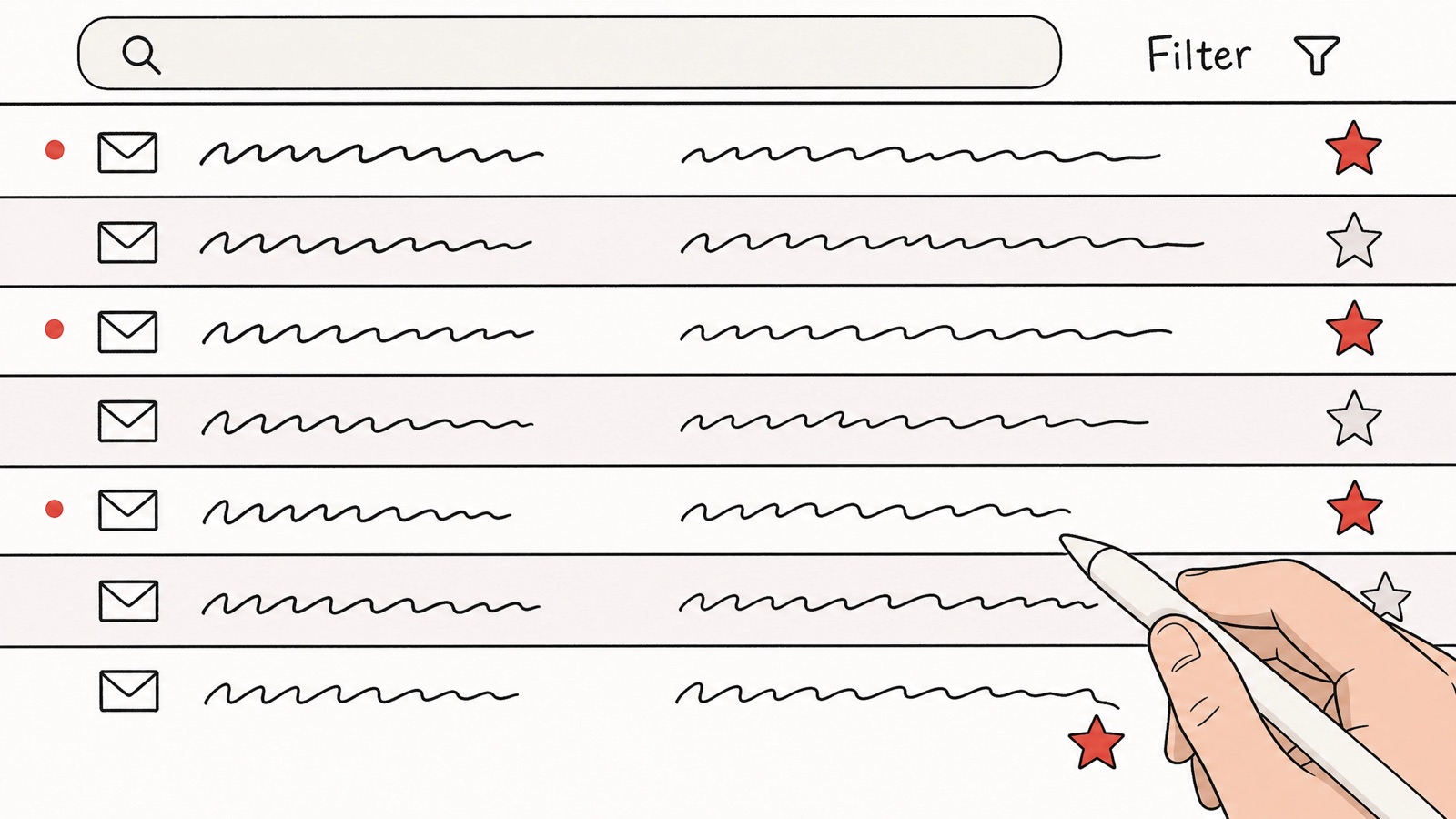
An AI email assistant is software that reads, organizes, drafts, and acts on your email so you don’t have to do any of it by hand. The good ones do more than suggest words. They triage your inbox by priority, write replies in your voice, keep an eye on threads that need a nudge, and put only the messages that need you in front of you.
The market sorts into roughly three tiers:
- Writing helpers. Smart compose, “help me write,” tone fixes. Handy, but you’re still the one running your inbox.
- Inbox managers. Tools that triage, sort, and draft across the whole inbox. They shrink the pile you have to touch.
- Delegation-grade assistants. Software that handles email the way a human executive assistant would. It triages, drafts from your actual context, sends follow-ups, and books time off the back of a thread.
Most “AI email assistant” roundups blend all three, which is why people walk away disappointed. Want a faster inbox? Tier one or two is fine. Want email off your plate entirely? You need tier three.
What to look for in an AI email assistant
The best AI email assistant for you comes down to how much you want to delegate. Run any tool through these six criteria before you pay for it.
Scope and judgment, not just drafting
A real assistant covers the whole loop and exercises judgment over it. It decides what to ignore, what to archive, what’s worth a draft, what to handle on its own, and what to put in front of you. Email triage sorts out what deserves your attention, drafting writes the replies that need writing, and follow-ups chase the threads that have gone quiet. A tool that only drafts still leaves you sorting, deciding, and chasing - and that judgment is where most of the work lives.
Accuracy to what you actually meant
Drafting quality is where a lot of tools quietly fall apart. A draft that reads polished but doesn’t say what you meant costs you more time, since now you’re rewriting instead of writing. And a draft left sitting in your Gmail can’t take feedback - you either ship it or rewrite it by hand. The best assistants also know when a reply needs your call before they write it: instead of guessing, they come to you with the context, ask the one question that matters, and draft from your answer. Look for an assistant that drafts from your real context and past messages, lets you adjust it in conversation, and confirms before it acts.
Proactivity
Anything reactive is still yours to manage. The real question is whether the tool sits there waiting for you to open it, or whether it works in the background and surfaces things on its own. The best ones also know when not to interrupt - they understand what actually matters to you and only raise what needs a call from you, like “this client asked for a discount” or “Mark hasn’t replied in two days.” Acting on the right things, and staying quiet on the rest, wins every time.
Channels
Your inbox doesn’t sit in isolation. The useful assistants let you act on email from wherever you are - Slack, WhatsApp, iMessage, or a quick voice note - so you can clear a thread from your phone without ever opening your laptop. The best go further: you can tell one to start an email from another channel entirely - “draft a reply to Mark in my name” or “email the vendor to reschedule” from a voice note - and it picks up the thread from there.
Security
You’re handing this tool the keys to your inbox, so a few items are non-negotiable: a SOC 2 Type II audit, verified Google or Microsoft app status, encryption, and a clear policy that your data isn’t used to train third-party models. For executives in regulated or IT-controlled orgs, this is the deal-breaker, not the feature list. What’s yours should stay yours.
Pricing model
Watch for credit systems and per-seat math that swell the more you use the product. A flat, predictable price is a lot easier to justify than a plan that charges you more every time the assistant does its job.
The 9 best AI email assistants in 2026, ranked
Here’s how the leading tools stack up at a glance, ranked by how much actual inbox work they take off your plate.
| # | Tool | Best for | Email scope | Starting price |
|---|---|---|---|---|
| 1 | Catch | Executives who want the whole inbox handled | More than just email: Triage, drafting, scheduling and full admin | $99/mo flat |
| 2 | Fyxer AI | Drafting plus meeting notes in one | Triage, ready made drafts in your tone, meeting notes | From $30/mo |
| 3 | Superhuman | Clearing high email volume fast | AI triage + drafting in a fast client | About $30/user/mo |
| 4 | Shortwave | Gmail users who want an AI-native client | AI bundling, summaries, drafting | Free + paid tiers |
| 5 | SaneBox | Filtering without switching apps | Triage and filtering layer | Tiered monthly plans |
| 6 | Microsoft Copilot | Microsoft 365 shops | Summarize, draft, coach inside Outlook | M365 add-on |
| 7 | Gemini in Gmail | Google Workspace shops | Summarize and “help me write” in Gmail | Included in Workspace plans |
| 8 | Spark Mail | Teams wanting a shared inbox client | AI compose + shared inboxes | Free + Premium |
| 9 | Lindy | Builders who want email automations | Workflow-based email automation | Credit-based, from about $50/mo |
1. Catch
Best for: executives who want email, and all the admin orbiting it, off their plate.
Catch is an AI executive assistant that runs your inbox end to end. It learns how you work and what matters to you, so it triages incoming mail by your real priorities, weighs what actually needs you, and surfaces the urgent stuff wherever you happen to be (it’ll ping you on WhatsApp when a client asks for a big discount). It doesn’t stop at drafts: it writes from your real context - including the meeting notes from popular note-takers it connects to - and actually sends replies on your behalf, while judging which quiet threads are worth chasing rather than following a fixed timer. You can direct it from wherever you are, too - tell it from Slack or a voice note to “draft a reply to Mark” or “email the vendor to reschedule,” and adjust the draft in the same conversation instead of digging through your drafts folder. It connects to both Gmail and Outlook, so it works whether your org runs on Google or Microsoft.
What makes Catch different is that email is one job, not the only job. The same assistant schedules meetings off a thread, sorts out calendar conflicts by reaching out to the other party directly, generates scheduling links, and places real outbound calls to book things - all on one flat plan. Pricing is $99/month, flat, voice included, no credits or per-action fees, with a 7-day free trial. On the trust side, Catch is SOC 2 Type II certified (audited by EY), a Google-verified app (CASA Tier 2), keeps data on US soil, and never uses your data to train third-party models.
What to know: Catch is built for executives and teams carrying a heavy admin load. If your inbox is light, the value won’t fully land. Its sweet spot is people who are drowning in email and scheduling.
2. Fyxer AI
Best for: people who mostly want better drafts plus automatic meeting notes.
Fyxer plugs into Gmail or Outlook and drops your inbox into three buckets, needs a reply, FYI, and marketing noise, with no rules to babysit. It picks up your writing style from past emails and drafts replies that match your tone, and it doubles as a meeting notetaker that joins calls and spits out summaries and action items. It’s a Google- and Microsoft-verified app that states it carries SOC 2 and ISO 27001 certifications.
What to know: Fyxer is an email-and-notes tool, not a full assistant. It won’t handle scheduling end to end, place calls, or live across channels like Slack and WhatsApp. Pricing starts around $30/month, and chat and automations sit on the $50/month Professional plan, so heavier use climbs fast.
3. Superhuman
Best for: power users churning through very high email volume who care about speed above all.
Superhuman is a premium email client (now part of Grammarly) built to get you through your inbox in half the time. Its AI triages by priority automatically, drafts replies in your voice, and suggests responses for routine threads, all wrapped in that famously fast, keyboard-driven interface.
What to know: it’s a client you live inside, not a delegate working away in the background. You’re still the one driving. At roughly $30 per user per month, it pays off only if your volume justifies a premium tool.
4. Shortwave
Best for: Gmail users who want an AI-native inbox.
Built on top of Gmail, Shortwave automatically bundles threads by topic, tucks away low-priority mail, and surfaces what needs attention. Its AI assistant drafts emails, summarizes long threads, and generates subject lines in a couple of clicks.
What to know: it’s Gmail-centric, so Outlook-first orgs are out, and like the other AI clients it speeds up your inbox rather than running it for you. There’s a free plan, then paid tiers as you bolt on more AI features.
5. SaneBox
Best for: people who want triage without switching email apps.
SaneBox runs behind the scenes with whatever client you already use. It learns what’s important and quietly moves everything else out of your main inbox. Think of it as a reliable filtering layer rather than a writing tool.
What to know: SaneBox triages but doesn’t draft or follow up, so it handles the sorting half of the problem and leaves the writing to you. It runs on tiered monthly plans.
6. Microsoft Copilot for Outlook
Best for: organizations already standardized on Microsoft 365.
Copilot lives inside Outlook and can summarize long threads, draft replies, and nudge your tone before you hit send. If your company runs on Microsoft, it’s right there in the app you open every day.
What to know: it’s a writing-and-summary helper inside the client, not an autonomous assistant. It won’t triage your whole inbox by priority or chase follow-ups on its own. It’s sold as a per-user add-on to Microsoft 365.
7. Gemini in Gmail
Best for: teams on Google Workspace who want native AI help.
Gemini is baked into Gmail for “help me write,” summarizing threads, and polishing drafts. It’s convenient mostly because it’s already sitting in the inbox you open every day, nothing extra to install.
What to know: like Copilot, it helps with composing and summarizing rather than running the inbox. You’re still the one triaging and following up. It’s bundled into Google Workspace business plans.
8. Spark Mail
Best for: small teams that want a shared inbox with AI compose.
Spark, by Readdle, is a polished email client with AI writing features and solid shared-inbox tools, so a team can collaborate on threads and pass messages to each other.
What to know: the AI leans toward composing and summarizing, not full triage or autonomous follow-up. There’s a free plan, plus a Premium subscription for the advanced features.
9. Lindy
Best for: people who want to build their own email automations.
Lindy is a no-code automation platform that connects to Gmail and Outlook. You can wire up workflows to triage your inbox, fire off messages or follow-ups, and log them in your CRM. It’s capable if you enjoy building the system yourself.
What to know: it’s a blank-slate workflow engine, so you define everything up front. It doesn’t learn you and act proactively out of the box. Pricing is credit-based, with a free tier, then paid plans from about $50/month up to roughly $200/month, and credit usage scales with voice and heavy use.
AI email assistant vs. hiring a human EA
A capable AI email assistant now covers the traditional executive-assistant role end to end: triage, drafting, scheduling, and the outbound calls and bookings that come with it. That’s the work that used to demand a full-time hire.
The cost comparison is hard to ignore. A US-based executive assistant runs $120,000 - $180,000 a year all-in. Catch does the same traditional EA work for $99 a month, faster and with no ramp-up. For most executives, that math is the whole conversation.
This isn’t about letting anyone go. The traditional EA workload is fully handled by Catch, and the person in the role gets to grow into higher-leverage responsibilities - operational work, on-the-ground projects, and the in-person work that benefits from a human present. Catch takes the inbox and scheduling off the table; the human takes on the work only a human can do.
How to get started with an AI email assistant
Choose based on how much you want to delegate. If you want a faster inbox and you’re happy to keep driving, a writing helper or an AI client will do the trick. If you want email off your plate - triaged, drafted, followed up, and scheduled around - you want a delegation-grade assistant.
If that’s you, get started with Catch. Connect Gmail or Outlook in under three minutes, and the assistant starts running your inbox the way a great EA would, for a flat $99 a month, with a 7-day free trial. From swamped to sorted, in seconds.
Frequently Asked Questions
What is an AI email assistant?
An AI email assistant is software that reads, organizes, drafts, and acts on your email so you don’t have to do it by hand. The most capable ones triage your inbox by priority, write replies in your voice, and chase follow-ups on their own, rather than only suggesting a few words.
How does an AI email assistant work?
You connect it to your inbox (usually Gmail or Outlook) through a secure permission grant. From there it reads incoming mail, sorts it by importance, drafts replies based on your context and past messages, and, depending on the tool, sends follow-ups and surfaces only the messages that need you.
What is the best AI email assistant in 2026?
For executives who want the whole inbox handled, Catch lands first: it knows your priorities, takes real work off your plate instead of just drafting, works in the channels you already use, and acts proactively - triaging, drafting, following up, and scheduling end to end for a flat $99/month. Fyxer AI and Superhuman are strong picks if you mostly want better drafting, while SaneBox is the one to beat for triage without changing apps.
Can an AI email assistant write emails in my voice?
Yes. Tools like Catch, Fyxer, and Superhuman learn your tone from past emails and draft replies that sound like you. Quality varies, though, so what matters is whether the draft reflects what you meant. A polished but off-target draft costs more time, not less.
Is there an AI email assistant for Gmail and Outlook?
Yes. Catch, Fyxer, and Lindy work across both Gmail and Outlook. Shortwave, Spark, and Gemini lean Gmail, while Microsoft Copilot is built into Outlook. If your org runs on Microsoft, confirm the tool is a Microsoft-verified app first.
How much does an AI email assistant cost?
Prices run from roughly $7/month for filtering tools up to $50/month or more for advanced drafting plans. Catch is a flat $99/month that also covers scheduling and voice with no credits or per-action fees, against the $120,000 - $180,000 a year a human EA costs.
Are AI email assistants secure?
The reputable ones are. Look for a SOC 2 Type II audit, verified Google or Microsoft app status, encryption in transit and at rest, and a policy against training third-party models on your data. Catch is SOC 2 Type II certified (audited by EY), Google-verified (CASA Tier 2), and hosts data on US soil.
Can an AI email assistant replace a human executive assistant?
Yes. A delegation-grade assistant fully handles the traditional EA role - triage, drafting, scheduling, and outbound calls to book things on your behalf. That’s the full-time hire’s workload, covered by software.
What’s the difference between an AI email assistant and using ChatGPT for email?
A general AI like ChatGPT helps when you prompt it, but it doesn’t live in your inbox, triage automatically, or follow up unless you ask. A purpose-built email AI assistant works in the background and acts across your inbox without constant prompting.
Can an AI email assistant send emails and follow up automatically?
Yes, with the right judgment. Catch writes and sends replies from your context, and it decides which threads warrant a follow-up by weighing priority and what it knows about you, not a fixed timer. Good assistants act on their own when the context is clear and check in when a call genuinely needs you.
Keep reading
Related posts

AI Executive Assistant: The 2026 Complete Guide (Plus the 10 Best Tools)
A practical 2026 guide to the AI executive assistant - what it is, what it does, how it works, what to look for, and the 10 best tools to consider this year.

How I'm Building a State-of-the-Art AI Email Assistant
In 2026, executives spend 104% more time on email despite AI adoption. I'm Ben Dror, and here's why the 'drafting' approach fails — and what I do instead.
Stop 'Collaborating' With AI on Admin Work. Just Get It Done.
Most AI tools are built around the copilot model — you prompt, it responds, you refine. That works for code and strategy. For admin work, it's friction. Here's why ownership beats collaboration.